↑↓ navigate ↵ open Esc close All results →

Best CNC Routers for Small Shops of 2026

A desktop CNC router promises a real, repeatable cut on a benchtop — wood, acrylic, MDF, even light aluminum — without a garage full of industrial iron. The catch: a machine that flexes or loses a step on hour three will scrap the part and the afternoon with it. What a small shop actually needs is boring — a rigid frame, a spindle that doesn't bog down, and a control setup you can walk away from.

We ran eight machines for nine months — sign blanks, cabinet jigs, MDF dust — to separate the ones that hold tolerance from the ones that only look the part. Bed size is the number everyone shops on and rarely the one that decides the job; Z clearance, drive type, and whether the mount takes a trim router matter more. I gave up a corner of my own bench to the smallest of them and never got it back.

These picks cover the bench sizes and budgets a small shop actually considers, and what fits one shop's corner won't fit another's. What they share is the part that matters: clamp a workpiece, hit start, come back to a finished cut.

Our Top Picks

The Best CNC Routers for Small Shops

1.

Genmitsu PROVerXL 4030 Best Overall
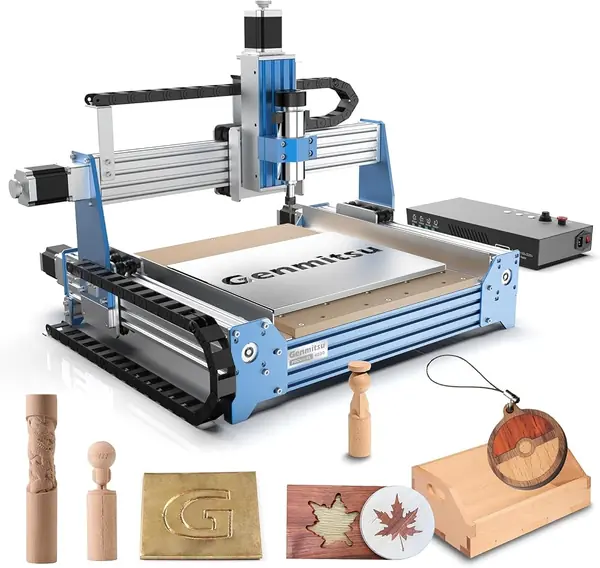
Genmitsu PROVerXL 4030 blue aluminum CNC router with C-beam gantry and lead screws

Small shop workhorse

Shop Score 84/100
Working Area
15.7 x 11.8 x 4.3 in (400 x 300 x 110 mm)
Weight
68.3 lb
Spindle
300W DC with DeWalt DWP611 mount
Drive
Dual Y-axis lead screws, NEMA 23 steppers
View on Amazon

A 65 mm spindle mount is an odd thing to fall for, but it is why the PROVerXL 4030 sits at the top of this guide. That clamp lets you bolt on a DeWalt DWP611 trim router, which is what turns this desktop CNC from a light engraver into a machine that takes on hardwood properly. The 4.3 inches of Z clearance matter nearly as much: it is the deepest gantry in this group, so a thick blank, hold-down clamps and a sacrificial board all fit under the bit at once.

Rigidity is the rest of the story. Dual lead screws drive the Y axis, the gantry rides an all-aluminum C-beam, and NEMA 23 steppers move the mass — the combination that keeps a long cut from drifting halfway through a sign. Modules arrive pre-assembled with the wiring already wrapped, so setup is mostly bolting the frame together, mounting the controller and squaring it.

Squaring is the step worth slowing down for. True the Y frame against a good square before the first job; a machine that is out of square will cut a part that looks perfect and fits nothing. At 68.3 pounds it also wants a stout, level bench, and that weight is the point — this is a machine that stays put while it runs a program on its own.

Limit switches, an emergency stop, a speed control and a Z probe all come in the box, so there is nothing to order before the first cut, and the trim-router swap waits until the work gets harder.

Worth Noting

  • Included 300W spindle is modest for the frame
Our Verdict

For a small shop that needs one machine to do the real work, we recommend the PROVerXL 4030: rigid enough to stay square, deep enough in Z for thick stock.

Check Latest Price
2.

Genmitsu 3020-PRO Ultra Best for Cutting Power

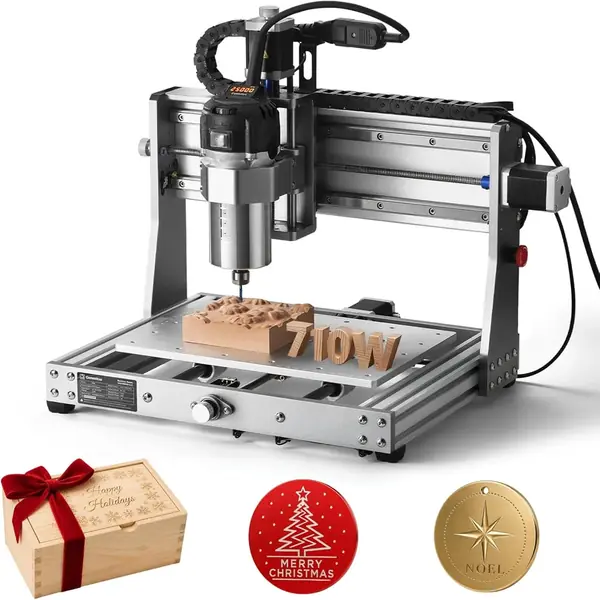
Genmitsu 3020-PRO Ultra silver all-metal CNC router with 710W spindle and aluminum bed

Dense material parts

Shop Score 83/100
Working Area
11.8 x 8.1 x 3.1 in
Weight
33.7 lb
Spindle
710W with 1/8 in ER11 collet
Spindle Mounts
65 mm holder plus 52 mm adapter
View on Amazon

Seven hundred and ten watts, in a machine that weighs 33.7 pounds and covers 11.8 by 8.1 inches of bench. Those numbers do not normally belong together, and they explain both why the 3020-PRO Ultra earns a place here and who should walk past it.

For anyone cutting small, dense parts, this is the one we hand them. The spindle is the most powerful in this guide — more than double the top pick's stock motor — so aluminum brackets, hardwood inlays and deep passes in dense stock stop being an exercise in patience. All-metal construction, a one-piece machined aluminum bed and the heavier Y-axis profile from Genmitsu's larger machines keep the gantry honest, and the 60 mm steppers put out 7.3 Nm, enough that the cut usually runs out before the motors do.

The 1/8-inch ER11 collet takes the same bits as everything else here, and the 65 mm holder plus 52 mm adapter let you hang a bigger spindle or a laser module off the same Z carriage later. That upgrade path counts for more on a small machine than a large one, because the bed is the part you cannot change. We were also glad to see the separate power brick gone, leaving one fan-cooled controller box.

What you give up is area. Eleven inches by eight will not make a storefront sign; it will make the letters that go on one, and it will make them accurately, part after part. Parts rather than panels — that is the trade, and for a shop selling components rather than signage it is the right one.

Worth Noting

  • Long jobs can stall partway through
Our Verdict

If your work is small, dense and detailed, this is the machine we reach for: 710 watts of spindle on a compact bench footprint, at about the same money as the wide-bed picks.

Check Latest Price
3.

FoxAlien Masuter Pro Best for Wide Flat Work

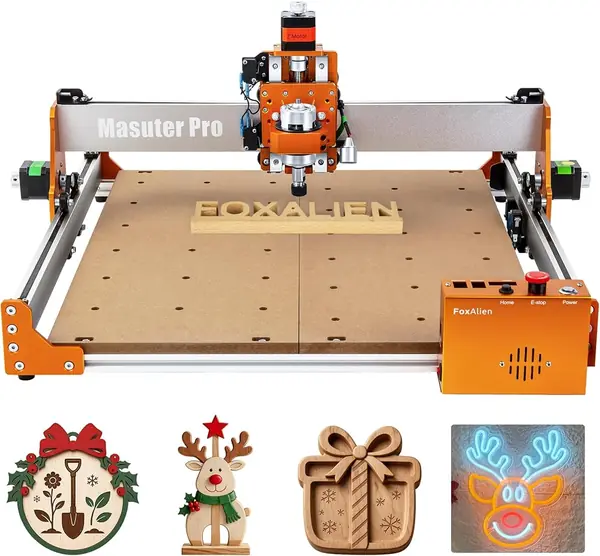
FoxAlien Masuter Pro aluminum CNC router with linear-rail Z-axis and dust-proof controller box

Wide flat panels

Shop Score 82/100
Working Area
15.75 x 15.75 x 2.36 in
Frame
All-aluminum with linear-rail Z-axis
Spindle Clamps
52 mm and 65 mm
Included Spindle
60W with 1/8 in collet
View on Amazon

Fifteen and three-quarter inches square, and only 2.36 inches of Z: the Masuter Pro's numbers say what it is for before the description does. This is a flat-work machine — signage, inlays, cabinet parts, plaques — and the shallow gantry is what keeps the whole bed usable and the frame affordable. What it is not is a machine for deep relief carving or for milling a block that stands four inches tall.

Assembly is where it wins people over. The main parts come pre-assembled and pre-wired to the controller box, and the printed steps and vendor videos cover the rest in order, so a first machine goes from box to first carve in an evening rather than a weekend. You get a linear-rail Z axis instead of a V-slot wheel carriage, ten bits and a Z probe in the box, and a dust-resistant controller with the emergency stop and home buttons right on the front panel.

For flat work, this is the machine we point people to first. Both spindle clamps are included, 52 mm and 65 mm, so the 60W motor it ships with can give way to a 300W spindle or a trim router when you want more bite. With a full-size router hanging off the front, check the clamp bolts before each run — the mount can work loose, and that is not something to discover mid-cut.

The bed is the real feature. 400 by 400 mm lets you nest several small parts or cut a panel in one pass, and the optional Y-axis extension stretches travel to 800 mm if you outgrow it, with a rotary module available when you want to carve cylinders. Read it as a flat-work platform that grows sideways, not downward.

Worth Noting

  • Only 60 mm of Z clearance
  • 60W spindle is light for hardwood
Our Verdict

Buy the Masuter Pro if your projects are flat and wide — we think its 400 x 400 mm bed and quick, pre-wired build make it the easiest first machine in this group.

Check Latest Price
4.

Twotrees TTC450 Pro Best for Large Light-Duty Work

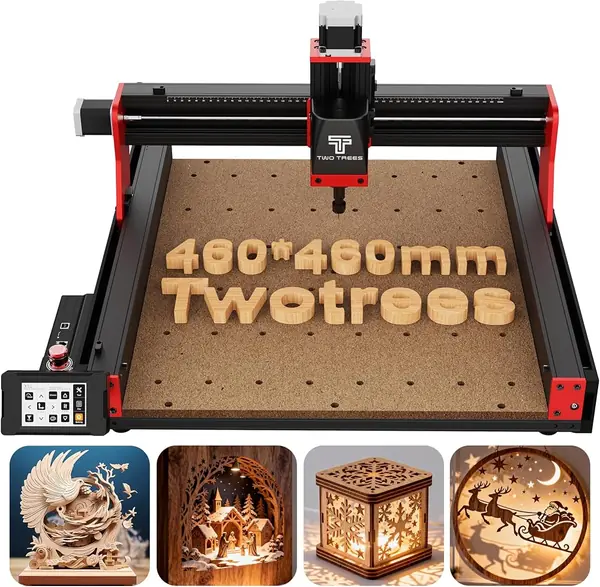
Twotrees TTC450 Pro red and black CNC router with touchscreen and open aluminum frame

Large light-duty work

Shop Score 81/100
Working Area
460 x 460 x 80 mm
Weight
45.2 lb
Spindle
80W
Control
3.5 in IPS touchscreen with GRBL
View on Amazon

The 3.5-inch touchscreen is the first thing anyone notices, and we like what it does for the bench: jogging an axis, checking a position and starting a file without a laptop tethered in the chip path makes a small shop feel less improvised. The number that should decide the purchase, though, is 460 by 460 mm — the largest working area in this guide by a comfortable margin.

That is the reason to consider it even without a long track record to point to. The frame is aluminum alloy and stainless steel with dual limit switches, it runs open-source GRBL, and ArtCam, Fusion 360 and the usual senders all talk to it; expansion ports on the controller are there for add-ons later. Twotrees also ships real in-the-box tooling — ten cutting tools including pointed carving bits, flat end mills and chamfer cutters, plus six clamps.

Eighty watts over an 18-inch span is the compromise, and it is not a small one. You can cut wood and plastics all day, but you do it in shallow passes at modest feed rates, and a panel that takes one pass on the 3020-PRO Ultra may take three here. For signage, lettering and prototypes that is a fair trade; for thick hardwood it is the wrong machine.

The quieter advantage is the open controller. When a job goes wrong, the fix is usually a setting someone has already written up, and you can make the change at the touchscreen instead of walking back to a computer.

Worth Noting

  • 80W spindle is light for an 18-inch bed
Our Verdict

The TTC450 Pro is our pick when bed size comes first — 460 x 460 mm and a touchscreen — as long as you plan on light passes and patient feeds.

Check Latest Price

How We Tested These Desktop CNC Routers

We started with spec sheets, comparing working areas, spindle mounts, and drive types across a long list of machines before narrowing to eight in the price band a small shop would actually consider. We assembled each one from the crate and ran it for nine months on the same bench, cutting sign blanks, cabinet jigs, acrylic, and enough MDF to justify a better dust collector. Before the first cut on every machine we clamped the workpiece, confirmed the emergency stop worked, and put on eye and hearing protection; MDF days meant dust collection and a rated mask.

Setup was timed and graded on documentation: whether the manual's steps matched the parts in the box, whether squaring the gantry took one person or two, and whether the machine cut true on the first try or needed shimming. Every control option got the same test — a first cut from cold, run from a laptop sender and, where the machine had one, an offline controller or touchscreen — and we noted how long it took a first-timer to get a usable part.

For rigidity, we pushed on the gantry to feel for flex, then cut deep pockets in hardwood at full depth, listening for chatter and checking the walls with a square. Overnight jobs were marked and re-measured in the morning to see whether each machine came back to zero.

Out of the crate we checked every fastener and looked for backlash, loose spacers, and bolts that never got threadlocker, since quality control shows up in the first week. Where the mount allowed it, we dropped in a trim router to see if the frame carried the extra weight. Then we set each price against the group and asked what the money actually bought — usually rigidity and bed size, not speed.

How to Choose a CNC Router for a Small Shop

Bed Size and Z Clearance

X and Y decide what fits on the table; Z decides what fits under the gantry. A 400 x 400 mm bed with 60 mm of Z is a sign and panel machine. A 300 x 205 mm bed with 80 mm of Z is a parts machine that can swallow a thick blank. Neither is better — they are different jobs.

Measure the thickest block you plan to carve, add your clamp and spoilboard height, and compare that total to the Z figure before anything else. The trap is buying area you cannot use: a wide bed under a shallow gantry will not hold a two-inch blank no matter how many clamps you own.

Spindle Power and the Router Swap

Watts tell you how much material the bit can take per pass. The 60W and 80W spindles in this group are for light passes in wood, MDF and plastic; 300W and up is where hardwoods and aluminum become practical, and the 710W motor on the 3020-PRO Ultra out-cuts everything else here.

The more useful question is whether the machine can take a different motor at all. A 65 mm mount accepts a DeWalt DWP611 or a similar trim router, which is the cheapest way to add real torque, and both the FoxAlien Masuter Pro and the Genmitsu PROVerXL 4030 include one. Check the collet while you are at it: 1/8 inch ER11 is standard here, and a 1/4-inch collet opens up a much wider range of cutters.

Frames, Drives and Why Weight Helps

A belt-driven gantry is fast and inexpensive; a lead-screw drive trades some speed for position accuracy that does not wander over a long job. Dual screws on the Y axis and a linear rail on Z are the details to look for, and an all-metal frame is what keeps the cut consistent from one end of the bed to the other.

Weight is part of that. The 68.3-pound PROVerXL 4030 sits still while it cuts; a 28-pound machine on a wobbly bench will not, no matter how good its controller is. Whatever you buy, put it on a solid, level top and check that top for flex before you bolt anything down.

Setup, Software and the First Cut

Most desktop CNC machines arrive partly assembled, but none arrives trammed to your bench. Budget an evening for squaring the frame, checking screw or belt tension and surfacing or shimming the spoilboard, then cut a test square in scrap before you trust a paid job to it. An out-of-square machine produces beautiful parts that fit nothing.

On the software side, GRBL machines run on free senders and design software ranges from free to subscription — a three-month Carveco Maker license comes with the PROVerXL 4030, which is enough time to learn the workflow before you commit to anything paid.

Frequently Asked Questions

Final Verdict

The PROVerXL 4030 is the machine we put at the top of this guide, and the deciding advantage is headroom: the deepest Z clearance here, dual Y lead screws to keep the gantry square, and a 65 mm mount that takes a trim router when the stock 300W spindle runs out of bite. It is the one that behaves like a shop tool rather than a kit.

If your work is small parts in hardwood or aluminum, the 3020-PRO Ultra's 710W spindle does more in less bench space. If the projects are flat and wide and the budget is tighter, the Masuter Pro's 400 x 400 mm bed is the better trade — just accept the 60 mm of Z that comes with it.