↑↓ navigate ↵ open Esc close All results →

Best Laser Engravers for Wood of 2026

Shopping for a diode laser engraver by the big wattage number on the box is the easiest way to overpay for underwhelming cuts. Many brands advertise total input or combined power rather than true optical output, even though optical power — along with spot size and offline card control — decides how cleanly a head cuts in one pass and how crisp small lettering stays on hardwood.

We ran eight machines for nine months on a garage bench and a kitchen table with safety glasses on and exhaust vented outside, judging every unit by actual optical output and single-pass depth in wood. Once raw cutting power is clear, the real trade-offs come down to bed dimensions against standard blanks, an open frame versus a sealed enclosure, and how smoothly the machine talks to LightBurn, LaserGRBL, or bundled apps.

The seven engravers ahead balance reliable single-pass charring and cutting with predictable framing, manageable fume control, and software that does not fight basic jobs.

Our Top Picks

The Best Laser Engravers for Wood

1.

Longer RAY5 20W Laser Engraver Best Overall
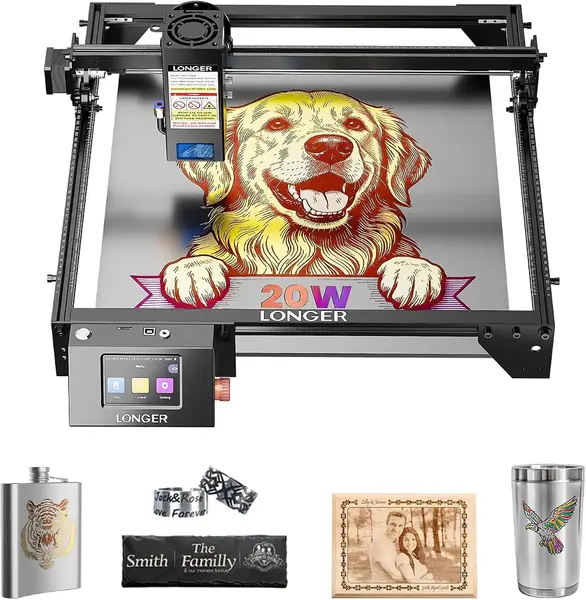
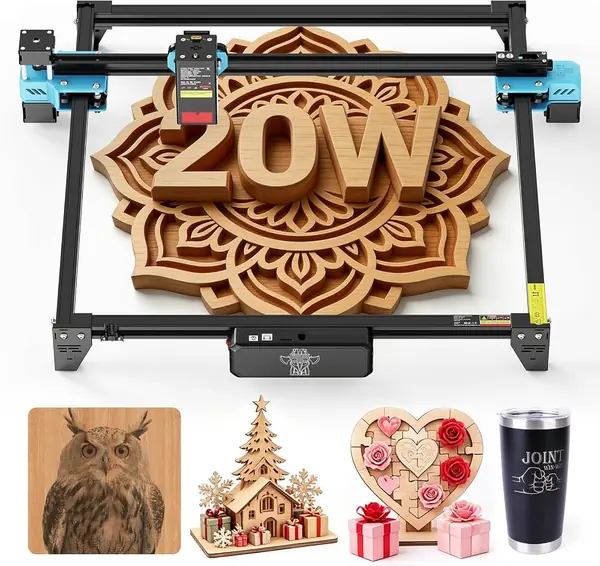
Longer RAY5 20W diode laser engraver with black frame and 3.5-inch color touchscreen

Thick wood stock

Shop Score 86/100
Laser Power
20W
Work Area
400 × 365 mm
Laser Spot
0.08 x 0.1 mm
Cutting Capacity
25 mm wood
View on Amazon

Twenty-five millimeters is the wood-cutting figure Longer puts on the RAY5 20W, and it is the number that puts this machine at the front of our list. Most of the engravers here are 10 watts or less, which means quarter-inch ply in two or three passes and half-inch stock as a project in itself. Twenty watts of optical diode power gives you headroom to cut sign blanks and box parts in fewer passes, and to engrave deep enough that a design reads as carved rather than printed.

The bed carries the rest of the argument. At 400 × 365 mm it takes a full-size sign blank or a row of coasters without repositioning, and the compressed 0.08 x 0.1 mm spot holds fine lettering together at that scale. We especially like that the 3.5-inch color touchscreen lets you start a job, watch progress and pause it without dragging a laptop into the shop, and there are four ways to send a file, so no single cable or app becomes a bottleneck.

Our reservation is the frame. This is an open machine, with no enclosure and no filter, so it needs a corner of its own, a path for smoke to leave the room, and glasses within reach for anyone who walks in while it runs. That is the trade for a 400 mm bed at this money, and for a garage or a basement shop it is an easy one to accept. In a spare room or a classroom, look at an enclosed model instead.

At 10.7 lb the frame is light enough to lift onto a shelf between projects, and once a file is loaded the whole workflow can stay offline. If you want one machine that engraves a plaque and then cuts the parts for it, this is the engraver we hand people first.

Worth Noting

  • Open frame needs glasses and an exhaust plan
Our Verdict

We recommend the RAY5 20W to woodworkers who want to cut thick stock, not just engrave it, without stepping up to shop-machine money.

Check Latest Price
2.

BlazeX M3 10W Laser Engraver Best for Beginners

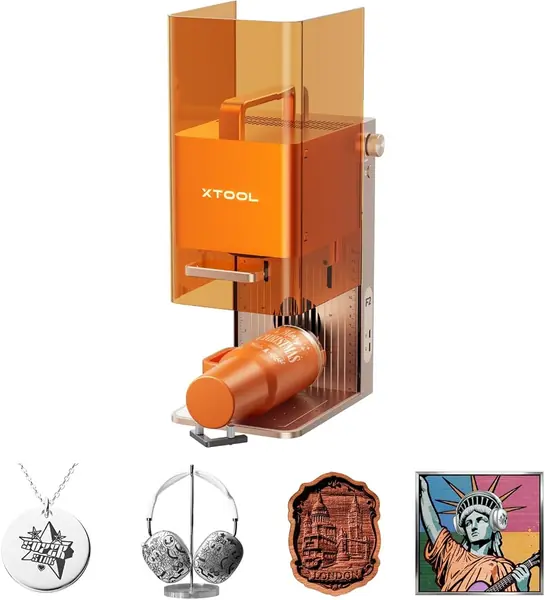
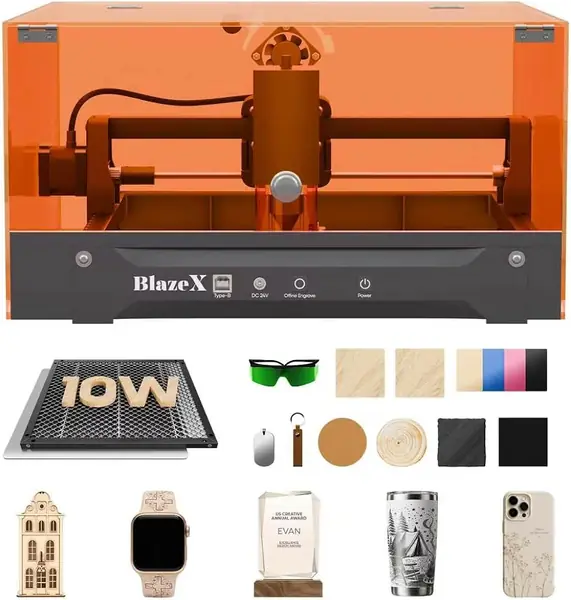
BlazeX M3 10W laser engraver inside an orange protective enclosure with honeycomb bed

Beginner gift makers

Shop Score 85/100
Laser Power
10W
Safety
Class 1
Accuracy
0.01 mm
Included
Enclosure, honeycomb bed, tool kit, 13 materials
View on Amazon

The box is the argument here: a protective enclosure, a honeycomb laser bed, a tool kit and 13 pieces of engraving material. That combination is why we point first-timers at the BlazeX M3 10W. The enclosure carries a Class 1 rating, so the beam is behind a shield while the job runs, and the honeycomb bed both holds small blanks flat and absorbs smoke that would otherwise stain the surface.

Ten watts with 0.01 mm accuracy is a sensible first machine for wood. It engraves dark, clean lines on maple and walnut, cuts thin ply and veneer, and that fine accuracy spec earns its keep on small lettering — name tags, ornaments, coasters with text that has to stay legible at an inch across. The included blanks also mean the first project happens on the day it arrives rather than after a trip to the lumber yard.

The enclosure cuts both ways. Whatever you load has to fit inside it, so long sign blanks and wide boards are out, and the 14.28 x 11.28 x 8.6 inch cabinet is what it takes up on the bench. BlazeX sells a rotary roller and an infrared module for cylinders and bare metal, which is a sane upgrade path if tumblers turn up in your plans later.

Worth Noting

  • Enclosure limits you to blanks that fit inside
Our Verdict

We steer beginners to the M3 10W because the enclosure, honeycomb bed and materials arrive together in one box.

Check Latest Price
3.

Creality Falcon 10W Laser Engraver Best Value

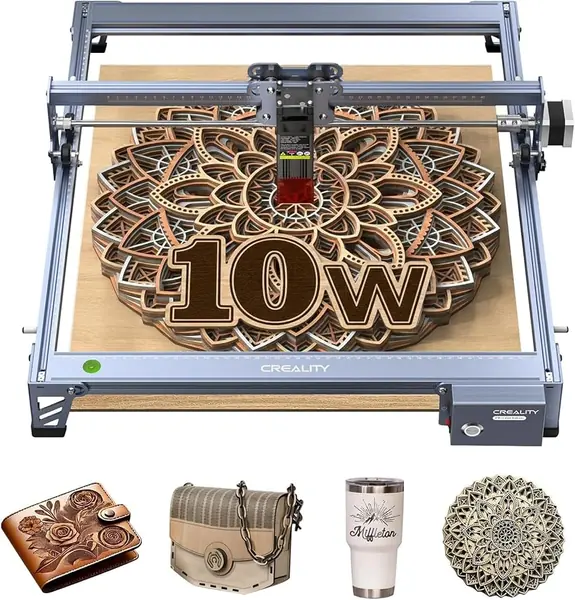
Creality Falcon 10W desktop laser engraver with black open frame and blue laser module

Budget wood engraving

Shop Score 84/100
Laser Power
10W
Work Area
15.7 x 16.3 in
Max Speed
10,000 mm/min
Laser Spot
0.06 x 0.06 mm
View on Amazon

The Falcon is the least expensive 10-watt machine in this group, and it does not read like a compromise on paper: a 15.7 x 16.3 inch working area, a 0.06 x 0.06 mm compressed spot, and travel up to 10,000 mm/min. That bed takes a cutting board or a house sign in one go, and it is well beyond the 300 mm frames of the cheaper 5-watt machines.

Ten watts is the sweet spot for wood. It engraves the stock most of us actually buy — birch ply, pine, oak, walnut — and cuts thin ply and veneer in a pass or two, and the compressed spot is the tightest of the 10-watt machines here, which shows in fine line work. It runs LightBurn and LaserGRBL, works from an SD card with no computer attached, and the module carries an anti-UV acrylic filter. That package is why it is our value pick.

Where we hesitate is the first weekend. This is a kit you assemble, and the software side takes an evening of trial and error before the first good burn — normal for the class, and easier to plan for than to resent. Build it, connect it, and run a test tile before the return window closes rather than after. Pair that with an exhaust fan and glasses for the open frame and you have a lot of machine for the money.

Worth Noting

  • Software setup takes an evening of trial and error
Our Verdict

We pick the Falcon when a big bed matters more than extra power; budget an evening for setup.

Check Latest Price
4.

Twotrees TTS-20 Pro Laser Engraver Best for Panel-Sized Projects

Twotrees TTS-20 Pro aluminum-frame laser engraver with blue and black gantry

Largest Work Area

Shop Score 83/100
Laser Power
20W
Work Area
418 × 418 mm
Software
LightBurn and LaserGRBL
Control
Wi-Fi and TF card offline
View on Amazon

418 × 418 mm is the largest working area on this list, and it is the whole reason to look at the TTS-20 Pro. That is a 16.5-inch square, enough for a cabinet door panel, a full set of coasters, or a batch of identical blanks laid out at once instead of run one at a time.

Behind the bed sits a 20-watt diode module rated at 19.5 W optical or better, with a rectangular array spot at 450 nm, mounted on an aluminum frame with GT2-6mm belts. Jobs come in over Wi-Fi or from a TF card so the machine runs offline, and it works with LightBurn and LaserGRBL on Windows, Mac or Linux. TwoTrees also reserves ports for a touchscreen module and air assist rather than pretending they are included.

What we like most is the size of the thing; what we mind is that those ports sit empty, so a touchscreen is a paid add-on where the Longer machines include one. The frame is not shy either: plan on 27.4 x 23.4 inches of bench. If your work is panels and batches rather than trinkets, that is bench space well spent, and the 8.82 lb gantry still lifts off for storage.

Worth Noting

  • Touchscreen is a paid add-on module
Our Verdict

We reach for the TTS-20 Pro when a design will not fit anywhere else; the bed is worth the bench space.

Check Latest Price
5.

xTool F2 Dual Laser Engraver Best for Small-Batch Work

xTool F2 enclosed dual-laser desktop engraver with built-in camera and sealed cabinet

Small-batch production

Shop Score 82/100
Max Speed
6000 mm/s
Camera
50MP
Lasers
5W IR and 15W diode
Enclosure
Fully enclosed
View on Amazon

A 50MP camera inside the enclosure changes how you place a design. You set the blank down, the software shows it on screen, and you drag the artwork onto the actual grain instead of measuring from a corner. xTool rates that alignment at 0.1 mm on small pieces, which for engraved jewelry, tags and gift items is the difference between centered and nearly centered — and it is the feature we kept coming back to.

The F2 carries two lasers: a 15-watt diode for wood, leather and the usual craft stock, and a 5-watt infrared module for bare metal and plastics a blue diode cannot mark. It moves at up to 6,000 mm/s, arrives assembled, and ships with material presets so the first job does not begin at a blank settings page. The cabinet is fully enclosed, with a built-in fan and an optional purifier for smoke.

That package is aimed at one buyer: someone selling engraved goods at markets or from a store counter, where the machine sits in the open, runs through a weekend of orders, and gets operated by whoever is on shift. The 10 lb frame moves easily between counter and workbench, and the enclosure means you are not apologizing for the smell.

For a hobbyist who only cuts wood, the F2 is more machine than the job, and the price runs several times the RAY5 20W. For a small shop where throughput pays the bills, the math flips and this is the pick that earns its keep.

Worth Noting

  • Highest price in this group by a wide margin
  • Half its capability is aimed at metal
Our Verdict

We recommend the F2 to makers selling engraved goods, where speed, a camera and an enclosure pay for themselves.

Check Latest Price
6.

ACMER S1 Laser Engraver Best for Tiny Craft Projects

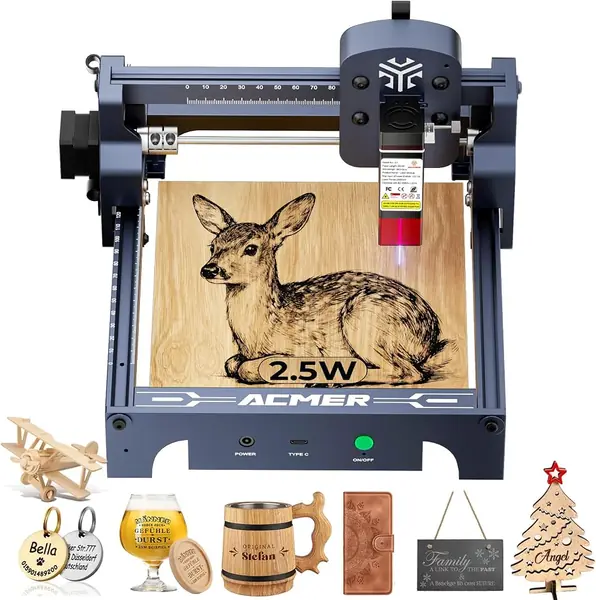
ACMER S1 compact desktop laser engraver with small aluminum frame and exposed laser head

Tiny craft projects

Shop Score 81/100
Laser Power
2.5W
Work Area
130 × 130 mm
Software
Acmerstudio included
Assembly
99% preassembled
View on Amazon

A 130 x 130 mm working area is about the size of a coaster with room to spare, and that tells you most of what the ACMER S1 is for. We think of it as a trial machine: small enough to sit on a desk, 99% assembled out of the box, with the laser head going on in about a minute and free Acmerstudio software included to run it.

At 2,500 mW it engraves wood, bamboo, leather and coated metal, and it will cut thin veneer if you are patient. It will not touch anything thicker, and the bed will not take a sign. As long as the projects are keychains, ornaments and small tags, the S1 does the job for less than any other machine here, and the industrial aluminum frame feels sturdier than the price suggests.

Buy it with that boundary in mind. If you already know you want to cut quarter-inch ply or engrave a cutting board, start at the 10-watt end of this list instead; the S1 will only teach you that you need a bigger one. If you want to find out whether you enjoy this at all before clearing real bench space, it is the least expensive way in.

Worth Noting

  • 130 x 130 mm bed fits only small blanks
Our Verdict

We point absolute beginners at the S1 to try the hobby on a desk, not to build a business.

Check Latest Price
7.

Twotrees TTS-55 Pro Laser Engraver Best for Engraving-First Buyers

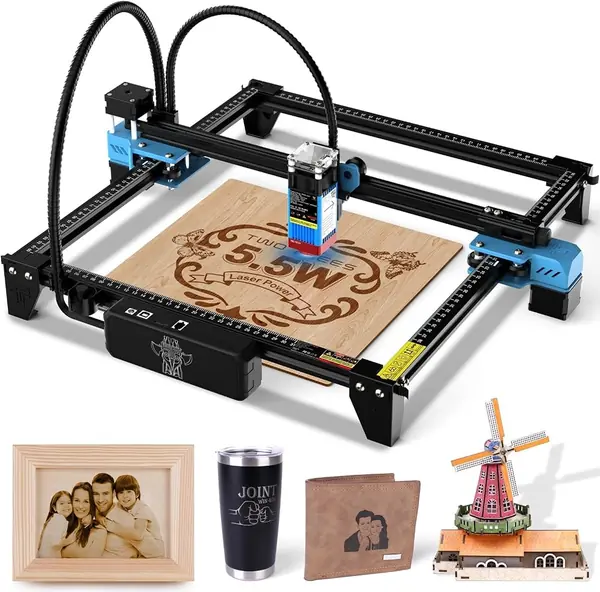
Twotrees TTS-55 Pro compact laser engraver with blue frame and 300 mm work bed

Engraving-first buyers

Shop Score 80/100
Laser Power
5.5W
Work Area
300 × 300 mm
Max Speed
30,000 mm/min
Laser Spot
0.08 x 0.46 mm
View on Amazon

Five and a half watts is the honest headline, and it sets the job list: engraving on wood, cutting veneer and thin ply, and not much thicker. The TTS-55 Pro pairs that module with a 300 × 300 mm frame, a dual-core 32-bit control board, a TF card slot and a metal air-assist nozzle, and the whole assembly weighs 8.23 lb.

For engraving, the package is more capable than the wattage suggests. The short 23 mm focal length produces a 0.08 x 0.46 mm spot — fine in one direction and coarser in the other, which keeps text, logos and line art crisp while photo engraving shows the difference. A 30,000 mm/min traverse keeps the head moving between passes, and offline jobs run straight from the card.

We see this as the machine for someone who wants to engrave plaques, leather patches and cutting boards and is not yet interested in cutting. It undercuts every 10-watt option here, and the air-assist nozzle in the box is a detail usually left off a machine at this level. The limit is not a defect so much as a ceiling: the day you want to cut three-quarter stock, you will be shopping again.

Worth Noting

  • Cutting is limited to veneer and thin ply
Our Verdict

We suggest the TTS-55 Pro for engraving-first buyers who want a real diode machine without paying for cutting power.

Check Latest Price

How We Tested the Best Laser Engravers for Wood

We started with the spec sheets, narrowing the field by optical laser power, work area, and whether the beam sits in an open frame or a sealed cabinet, then cross-checked software support for LightBurn, LaserGRBL, and the makers' own apps. From there we brought in eight machines and lived with them for nine months, covering everything from a shelf-top unit to a large-format model that takes up half a workbench.

Every machine got the same first weekend: we timed the assembly with a stopwatch, then burned a calibration grid into scrap plywood to find the smallest letter that stayed crisp. We cut basswood, walnut, and plywood blanks of increasing thickness, noting the pass where the beam stopped going all the way through, and compared each maker's claimed spot size against the detail we could actually get on a coaster.

Jobs ran from a laptop, from a TF card, and over Wi-Fi, since offline handling is what makes a machine livable in a shop with no spare computer. Safety glasses went on before the first job and stayed on for everyone in the room, the exhaust went out a window, a metal honeycomb bed sat under every blank, and nobody walked away from an open-frame job.

Between projects we checked belts, lens haze, and smoke staining, and logged what each machine asked for — air assist, replacement lenses, blanks — to estimate a year of running costs. Durability showed up in small things, like a gantry that stayed square and a touchscreen that still answered after months of sawdust. We skipped PVC and vinyl-coated stock entirely, since the fumes are corrosive to the machine and bad to breathe. The last cut was enjoyment: if we didn't want to fire it up on a Sunday afternoon, it didn't make the list.

How to Choose a Laser Engraver for Wood

Read the Optical Wattage, Not the Machine Rating

Two figures get thrown around for the same engraver. Optical power is the laser energy that reaches the wood — 5.5 W, 10 W or 20 W on these machines. Machine output is the larger, less useful number; one of these listings advertises a 2,500 mW laser alongside 24 W of machine output. Only the first one cuts.

For wood, the working rule is short: 5 W engraves well and cuts veneer, 10 W engraves and cuts thin ply, and 20 W is where half-inch stock stops being a weekend project. Match the figure to the thickest thing you genuinely plan to make, then check that it is described as optical rather than total.

Size the Bed Against the Blanks You Buy

Work areas here run from 130 × 130 mm to 418 × 418 mm, and that range decides whole categories of project. A 130 mm bed makes keychains and coasters. Three hundred millimeters takes small signs and cutting boards. Four hundred and up takes a house sign, a cabinet panel, or a batch of blanks laid out at once.

Then look at the bench. The biggest beds come on the biggest frames — the TTS-20 Pro wants about 27.4 by 23.4 inches of clear surface — and every open-frame machine needs room behind it for smoke to leave. A machine that does not fit the space you have is a machine that stays folded up.

Decide Whether the Beam Should Be Enclosed

An open-frame engraver costs less and swallows bigger blanks, but the beam is exposed while it runs: everyone in the room needs safety glasses and the smoke needs a route outdoors. An enclosed machine such as the BlazeX M3 or the xTool F2 wraps a shield and a fan around the work, which is why we push beginners and shared spaces toward them.

The trade is size. Whatever you load has to fit inside the cabinet, so long sign blanks are out. If your work is small and your shop is shared, take the enclosure and plan around it.

Match the Software and the Control Path to Your Patience

Every laser engraving machine runs on something. LightBurn and LaserGRBL are the general-purpose programs with the deepest pool of guides and settings; xTool Studio and Acmerstudio are the makers' own apps, friendlier on day one and narrower later. If you already work in LightBurn, buy a machine that speaks it.

The control path matters just as much. A touchscreen and a TF or SD card slot mean the machine runs without a laptop tethered to it, which in a dusty shop is worth more than it sounds. A machine driven only through a phone app is only as reliable as that link.

Budget for What Comes After the Box

The purchase is not the last cost. Air assist, a honeycomb bed, a rotary for tumblers and a smoke purifier are sold separately on most of these machines — the BlazeX bundle includes the bed and a starter set of blanks, while the TTS-20 Pro charges extra for its touchscreen module.

Lenses need cleaning, modules eventually get replaced, and blanks add up faster than anyone expects. None of it is large on its own, but it belongs in the budget before you choose between two machines rather than after.

Frequently Asked Questions

Final Verdict

We recommend the Longer RAY5 20W for most woodworkers, and the reason is simple: 20 watts and a 400 × 365 mm bed cover both the engraving and the cutting, so you are not shopping again the first time a project calls for half-inch stock. The touchscreen is a small thing that turns out to matter every day in a shop.

If the machine has to run in a spare room, a classroom, or anywhere people wander past, choose the enclosed BlazeX M3 10W instead and accept that every blank has to fit inside the cabinet. And if you sell the work, the xTool F2 is the one whose camera and speed earn back their price.